Billing Made Effortless: Simplified Invoicing | 75Health EHR
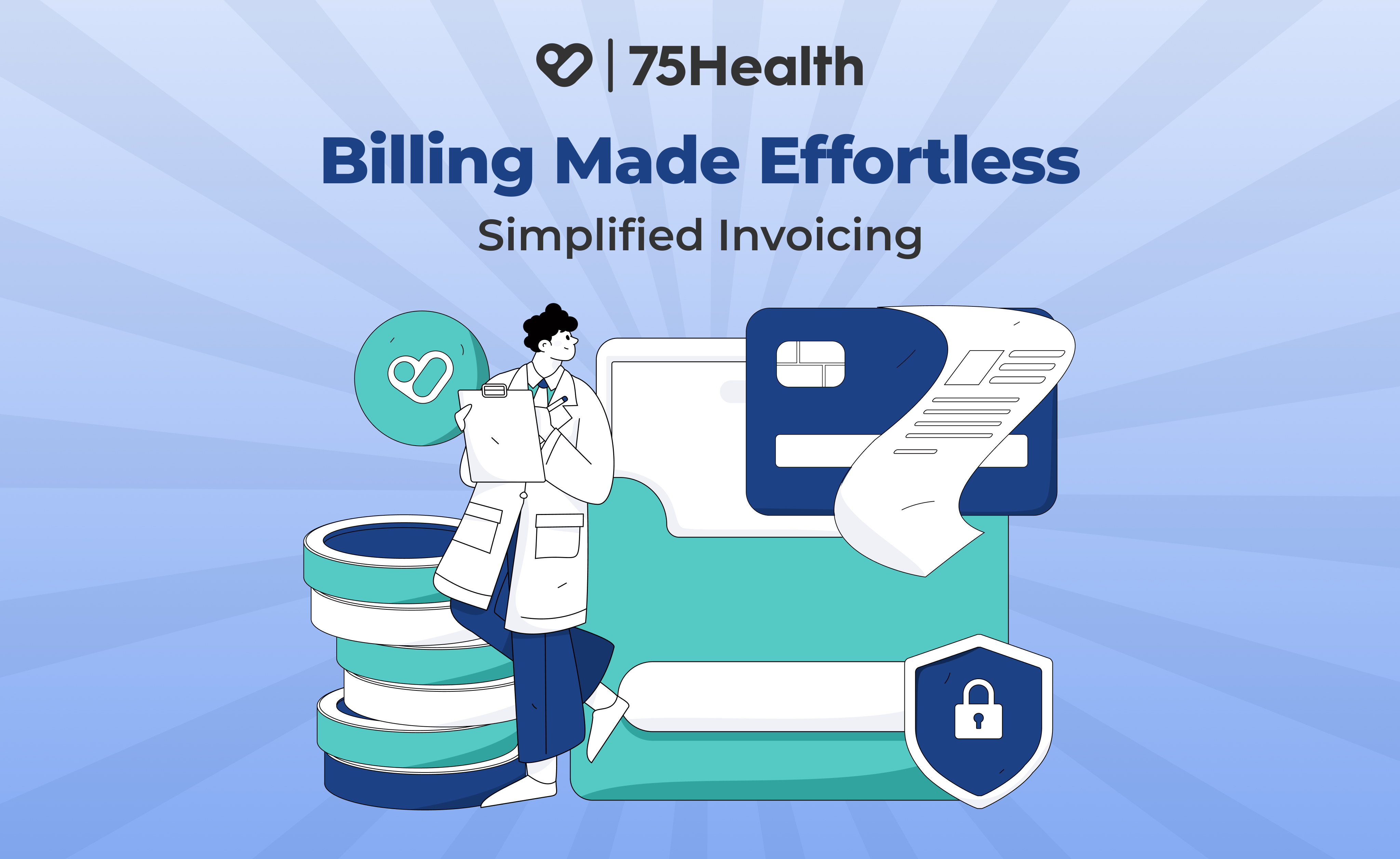
Managing billing in healthcare can often feel overwhelming, multiple services, patient records, insurance details, and payment tracking all in one place. That’s where 75Health EHR simplifies everything with its smart billing and invoice generation support.
How to Generate an Invoice
There are two simple ways to generate a bill in 75Health EHR:
- Generate Bill
Once you complete the clinical entry in the EHR, click on the Generate Bill icon. You’ll see two options—choose Generate Bill to proceed manually.
- Add items or services
- Apply taxes
- Fetch procedures or medications from your Favorites list
- Click Finalize Bill
Once the bill is finalized, it cannot be edited; only payments can be added.
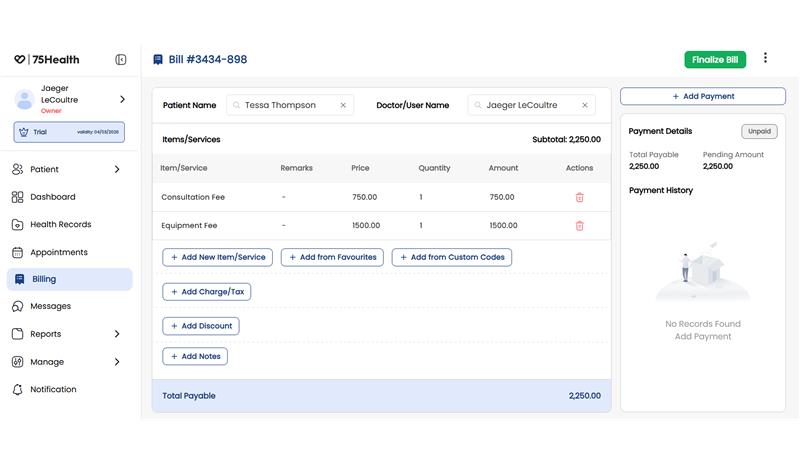
To record a payment:
- Click Add Payment
- Select the payment mode
- Click Save
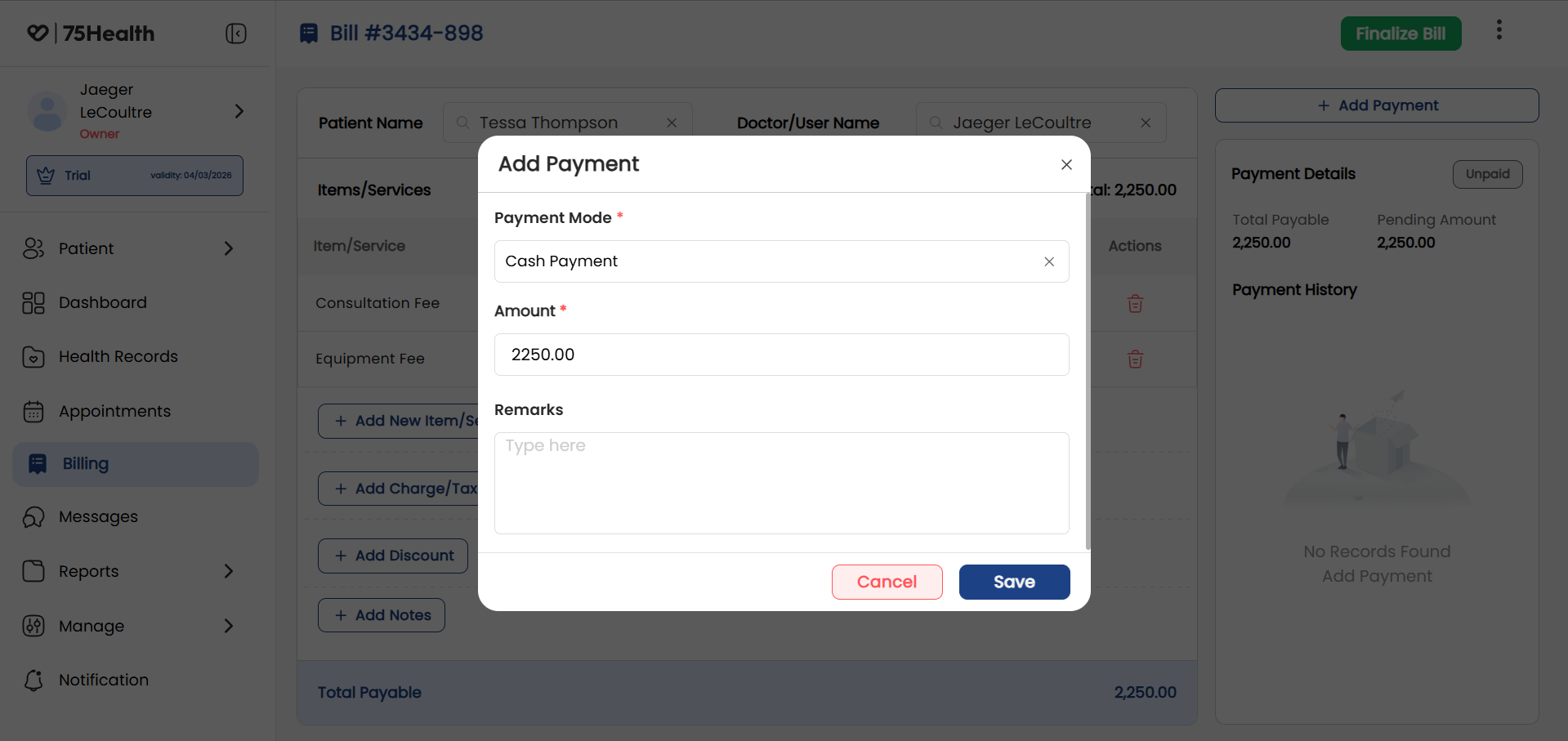
- Generate Bill from EHR
Choose Generate Bill from EHR for a more automated experience.
- Procedures, medications, and lab orders are automatically captured
- This reduces manual entry and minimizes errors
For additional charges (like consultation or other fees):
- Click Add Item/Services and include them
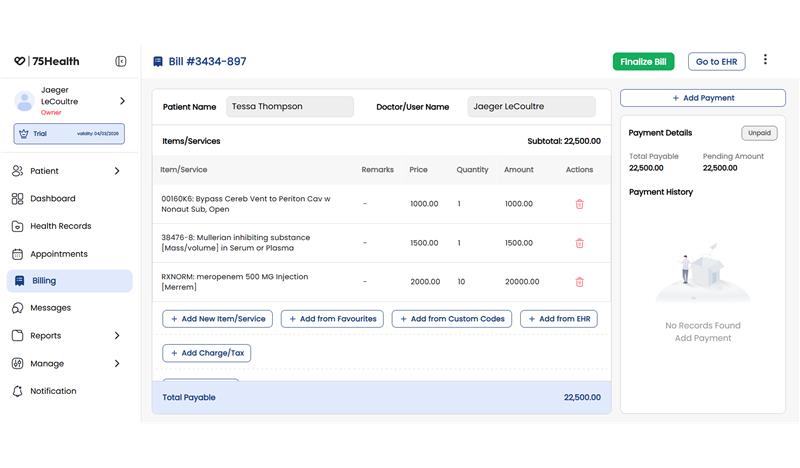
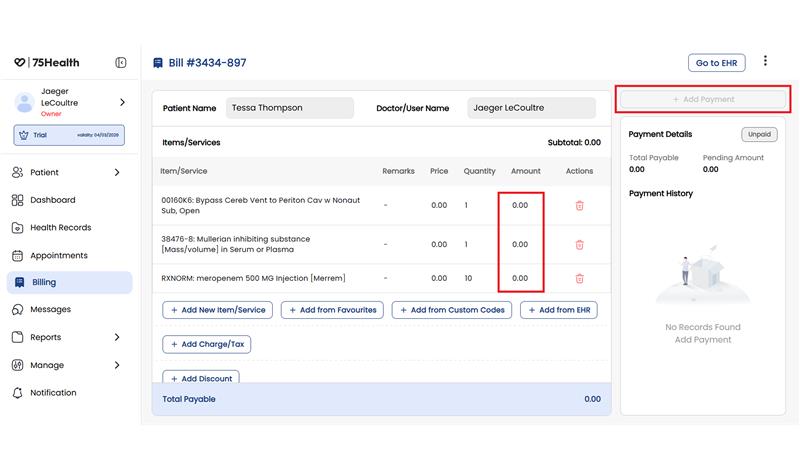
Note: The Add Payment option will initially be disabled. Since the bill is auto fetched from EHR, you must first confirm or add the total amount. Once done, you can proceed to:
- Add payment
- Finalize the bill
Why This Matters
Imagine completing a consultation and generating an accurate bill instantly, without re-entering data or worrying about missed charges.
With 75Health EHR, you can:
- Save time on administrative work
- Reduce billing errors
- Improve cash flow with faster payments
- Ensure transparency and trust with patients
Hence, with flexible billing options, manual or automated, 75Health EHR ensures accuracy, saves time, and simplifies your entire billing workflow.
Less manual work. Fewer errors. Faster payments.